briandrab
New Member
We are brand new to the Progress world so forgive me.
We installed Progress OpenEdge Studio using the Progress manuals then we cracked open the "OpenEdge Getting Started: Progress OpenEdge Studio" manual and got to Chapter 2 where we were supposed to be able to compile and run a copy of the SportsPro sample application.
We followed the instructions step by step four times and get to page 2-8 where we should be able to run the app by putting wmain.w in the Run Procedure box.
Unfortunately we get an error that comes up that says:
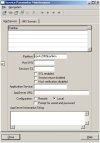
"Attempt to connect a partition named sports2000partition.
This partition is not currently defined in the Service Parameter Maintenance tool."
When we click OK we then get:
"sports2000partition partition is running locally without the proper database connection(s).
Any help would be GREATLY appreciated. Thank you.
We installed Progress OpenEdge Studio using the Progress manuals then we cracked open the "OpenEdge Getting Started: Progress OpenEdge Studio" manual and got to Chapter 2 where we were supposed to be able to compile and run a copy of the SportsPro sample application.
We followed the instructions step by step four times and get to page 2-8 where we should be able to run the app by putting wmain.w in the Run Procedure box.
Unfortunately we get an error that comes up that says:
"Attempt to connect a partition named sports2000partition.
This partition is not currently defined in the Service Parameter Maintenance tool."
When we click OK we then get:
"sports2000partition partition is running locally without the proper database connection(s).
Any help would be GREATLY appreciated. Thank you.